
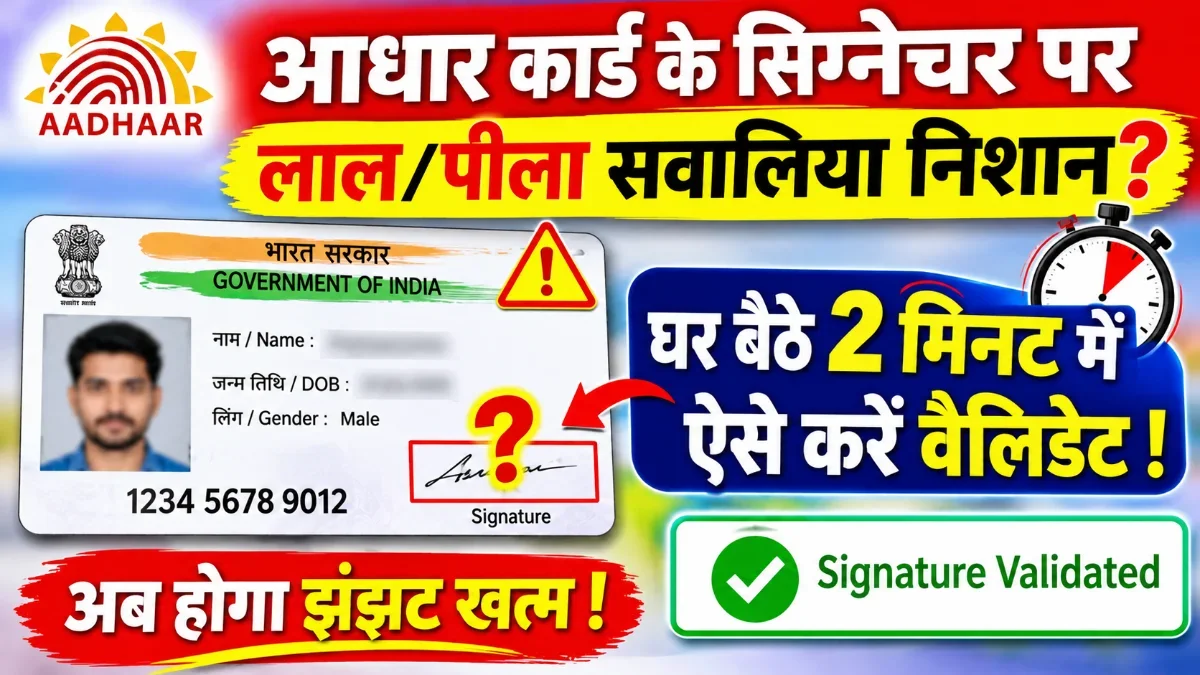
How To Validate Aadhaar Card Signature Online
Unique Identification Authority of India (UIDAI)
UIDAI-Aadhaar-Sig-2026: Short Details of Notification
📋 Table of Contents
Important Dates
- Process Availability: Active 24/7 Online
- Last Date to Validate: Not Applicable (Anytime)
Application Fee
- General / OBC / EWS: 0/-
- SC / ST / PH: 0/-
- Payment Mode: Free of Cost
How To Validate Aadhaar Card Signature Online Age Limit 2026 : Age Limit as on N/A
Before submitting your application, candidates must ensure they meet the age requirements established by the recruiting authority. The age limit details are provided below:
- Minimum Age: Not Applicable
- Maximum Age: Not Applicable
- Age Relaxation: Not Applicable
Note: Age relaxation is applicable as per the official government rules and regulations. Please refer to the full notification for category-wise relaxation details.
How To Validate Aadhaar Card Signature Online Vacancy 2026 Details
| Post Name | Total Post |
|---|---|
| Aadhaar Card Signature Validation Service | Online |
How To Validate Aadhaar Card Signature Online Eligibility Criteria 2026
To be considered for the respective positions, candidates must fulfill the specific educational and professional qualifications. Below are the detailed eligibility criteria for each post:
For the post of Aadhaar Card Signature Validation Service:
Downloadable e-Aadhaar PDF & Adobe Acrobat Reader
How To Validate Aadhaar Card Signature Online Selection Process 2026
- Step 1: Download e-Aadhaar PDF from official UIDAI portal using OTP.
- Step 2: Open PDF in Adobe Acrobat Reader and trust UIDAI digital certificate.
How to Apply Online for How To Validate Aadhaar Card Signature Online Recruitment 2026
Ready to apply? Follow these simple step-by-step instructions to submit your online application form without any mistakes:
- Step 1: Download your latest e-Aadhaar PDF securely from the official UIDAI website using your registered mobile number and 6-digit OTP verification.
- Step 2: Download and install the latest version of Adobe Acrobat Reader on your computer or laptop, as standard browser PDF viewers do not support advanced signature validation.
- Step 3: Open your e-Aadhaar PDF in Adobe Acrobat Reader by entering your password (first 4 letters of your name in CAPITAL + birth year, e.g., RAHU1998).
- Step 4: Locate the digital signature box showing a question mark, right-click on it, and select 'Show Signature Properties' from the menu.
- Step 5: Navigate to the certificate properties, click on the 'Trust' tab, and select 'Add to Trusted Certificates' to establish trust with the UIDAI authority.
- Step 6: Confirm the settings and verify that the signature icon changes from a question mark to a secure green checkmark, indicating successful validation.
Important Links for How To Validate Aadhaar Card Signature Online Recruitment 2026
| Some Useful Important Links | |
|---|---|
| Link Description | Action |
| Download Aadhaar Card | Click Here |
| Official Website | Click Here |
| Photo & Signature Resizer | Click Here |
| Download & Install Adobe Acrobat Reader | Click Here |
Important Questions
Frequently Asked Questions
Q: Why does a question mark appear on my e-Aadhaar digital signature?
A: The question mark appears because your PDF reader fails to automatically recognize or trust UIDAI's digital certificate. This is a common viewing issue and does not mean your Aadhaar card is fake or invalid. You simply need to configure your Adobe Acrobat Reader to trust the certificate.
Q: What is the password to open the downloaded e-Aadhaar PDF?
A: The password consists of the first four letters of your name written in capital letters, followed by your birth year in YYYY format. For example, if your name is Rahul Kumar and your birth year is 1998, your password will be RAHU1998. Make sure to enter it accurately to unlock the file.
Q: Do I need to pay any fee to validate my Aadhaar signature?
A: No, validating your Aadhaar digital signature is completely free of charge and can be performed entirely on your own computer. You do not need to visit any Aadhaar Seva Kendra or cyber cafe for this process. Simply use the official Adobe Acrobat Reader software.
Q: What should I do if the signature still shows invalid after following all steps?
A: If the validation fails, ensure you are using the official Adobe Acrobat Reader rather than a web browser or mobile app. Update your reader software to the latest version, download a fresh copy of your e-Aadhaar from the UIDAI portal, and repeat the certificate trusting procedure carefully.
E
Written & Fact-Checked by
Editorial Team
✓ Verified Source
Last Updated: 20 November 2026
Disclaimer: We strive to provide accurate and timely information. However, candidates are strongly advised to verify all details regarding vacancies, eligibility, and fees directly from the official notification PDF and the official website before applying.